Custom Embroidery Digitizing: DST, PES, EXP File Formats Explained

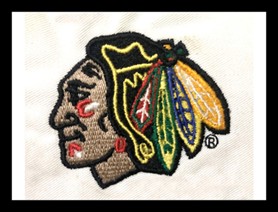
If you’re diving into embroidery, you’ve probably heard the term custom embroidery digitizing a hundred times. It sounds technical, but it’s really just turning artwork into something your machine can actually stitch. Without it, your design won’t look right at all. Think of it as translating your creative idea into machine language. Every stitch, every curve, every tiny detail depends on digitizing. Whether you’re running a small embroidery business or just doing fun projects at home, knowing the ins and outs is huge. It makes the difference between messy stitches and professional, clean results.
What Is Custom Embroidery Digitizing and Why It Matters
So, what exactly is custom embroidery digitizing? It’s the magic behind the scenes. Your favorite design becomes a digital file that tells the machine where and how to stitch. And trust me, it’s not just scanning an image. A lot goes into creating accurate embroidery patterns, picking stitch types, and spacing everything properly. Good digitizing prevents messy edges, thread breaks, or weird holes in the design. That’s why most pros use embroidery digitizing services. They make sure the design stays true to the original artwork and works perfectly on fabric.
Why the DST File Format Is a Big Deal
The DST file format is basically the superstar in commercial embroidery. Developed for Tajima machines, it works with tons of industrial equipment now. DST files only contain stitch data—no color info—but that’s okay. It means your design can run on different machines without a problem. If you want your custom embroidery digitizing project to work perfectly in bulk, DST is your go-to. It handles big, detailed designs like a champ and keeps them consistent every time. Without it, high-volume stitching could turn into a headache fast.
PES File Format: Perfect for Home and Small Projects
PES files are popular too. Mainly for Brother and Babylock machines, they include both stitch data and color info. That’s great for smaller projects or personalized gifts. PES works well for shirts, hats, and even small décor items. Unlike DST, PES is more home-friendly. If you’re hunting for best embroidery digitizing results at home or for boutique orders, PES files are the ones to use. They make your life easier and the finished design more predictable.
EXP File Format for Industrial Machines
EXP is usually used with Melco machines. It’s similar to DST but optimized for Melco systems. EXP files can handle multi-color and high-density stitching beautifully. If you’re doing custom embroidery digitizing for serious industrial work, you’ll need EXP files. They keep complex designs clean and running smooth. Skipping the right file format here could mess up your stitching big time.
Embroidery Patterns: The Heart of the Design
Here’s where things get interesting. Embroidery patterns are the blueprint of your design. They tell the machine how to stitch each part. Proper patterns consider fabric type, hoop size, and design complexity. Bad patterns? They cause gaps, puckering, or weird thread bunching. Good patterns? They make the machine glide through stitches like butter. Most embroidery digitizing services double-check patterns to make sure they’ll work perfectly on every type of fabric.
Why Professional Embroidery Digitizing Services Matter
Let’s be honest. Digitizing is tricky. Doing it yourself can be frustrating. That’s why people go to pros. A professional embroidery digitizing service knows how machines behave, which stitches hold best, and how fabrics react. They make sure your design isn’t just pretty—it’s practical. With pro help, your design can scale, adjust, and work on any garment. And if you want best embroidery digitizing results without pulling your hair out, it’s worth it.
Custom Embroidery Digitizing for Businesses
Running an embroidery business? Then you know the stakes are higher. Every DST, PES, or EXP file has to be perfect. Professional digitizing saves time and reduces errors in production. It lets you churn out bulk orders without sacrificing quality. Custom digitizing also makes it easier to tweak designs for client requests. Every shirt, cap, or bag comes out consistent. Investing in solid digitizing upfront pays off big in the long run.
Stitch Types You Should Know
Different stitches do different things. Satin stitches are great for smooth outlines and letters. Fill stitches cover bigger areas and add texture. Running stitches are perfect for fine lines. And then there’s 3D Puffy Design, which makes letters and logos pop off the fabric. Good digitizers know how to mix stitch types so your design stays clean, balanced, and durable. Choosing the right stitch type can make your design look professional instead of amateurish.
File Optimization and Multi-Machine Compatibility
Optimizing files is huge. A properly optimized DST, PES, or EXP file reduces thread breaks, skipped stitches, and wasted fabric. Digitizers adjust stitch density, order, and even color stops to make machines happy. Some pros even create multiple file formats for the same design. That way, it works on industrial machines and home setups alike. For businesses or custom projects, this flexibility is a lifesaver.
Scaling and Placement
Scaling your design is more than just resizing. You have to maintain stitch paths, density, and proportions. Placement matters too. A chest logo needs a different position than a cap design. Proper custom embroidery digitizing accounts for hoop size, fabric behavior, and design complexity. That ensures your artwork looks professional no matter where it’s stitched.
Common Digitizing Issues and Fixes
Even good files can hit snags. Skipped stitches, uneven density, or puckering are common issues. Professional digitizing services catch these during file prep. They tweak stitch sequences, adjust patterns, and test fabrics. This saves time, prevents waste, and ensures client satisfaction. For serious embroidery businesses, this pre-emptive approach is essential.
Why Multiple File Formats Are Important
DST, PES, and EXP each have strengths. DST for industrial bulk work, PES for home or small projects, EXP for specialized machines. Offering multiple formats means you can reach more clients and handle different machines. Professional custom embroidery digitizing ensures designs are compatible, scalable, and machine-ready. This versatility is a big reason business stay efficient and consistent.
Future of Custom Embroidery Digitizing
The industry keeps evolving. New software and tools allow smoother, faster digitizing. Techniques like 3D Puffy Design let designers add raised textures and depth. AI-assisted digitizing is becoming a thing, improving accuracy and reducing manual tweaks. Businesses using professional digitizers can stay ahead in fashion, corporate branding, and personalized projects. High-quality digitizing makes your work stand out and keeps customers coming back.
Conclusion: Flawless Digitizing with Expert Help
To wrap it up, custom embroidery digitizing is the secret sauce behind professional embroidery. DST, PES, and EXP files make sure designs are machine-ready and consistent. Accurate embroidery patterns and stitch selection are crucial. Professional services take your artwork from screen to fabric perfectly. For reliable results, brands like 1dollardigitizing and ensure every stitch looks sharp, clean, and professional. With the right digitizing, even the most complex design can come to life beautifully.


Easy tips and tricks to clean your sofa at home
The sofa is the center of your living space. Your sofa is a place where … …
Fun Online Entertainment Experience
KP88 – A Comprehensive Look at a Popular Online Gaming Platform Introduction to KP88 …